Blockchain Mining Simulator
I built an educational blockchain demonstration that lets anyone experience proof-of-work mining directly in their browser. No downloads, no setup—just open the page and start mining blocks.
Demo: blockchain-mining.vercel.app
Source: github.com/brianhliou/blockchain
What Is This?
This is an interactive web application that demonstrates how blockchains work by implementing the core concepts:
- Proof-of-Work Mining - Find a nonce that produces a hash with 5 leading zeros
- Chain Immutability - Each block’s hash includes the previous block’s hash
- Cryptographic Validation - SHA-256 ensures data integrity
- Browser-Based - Everything runs client-side using Web Workers
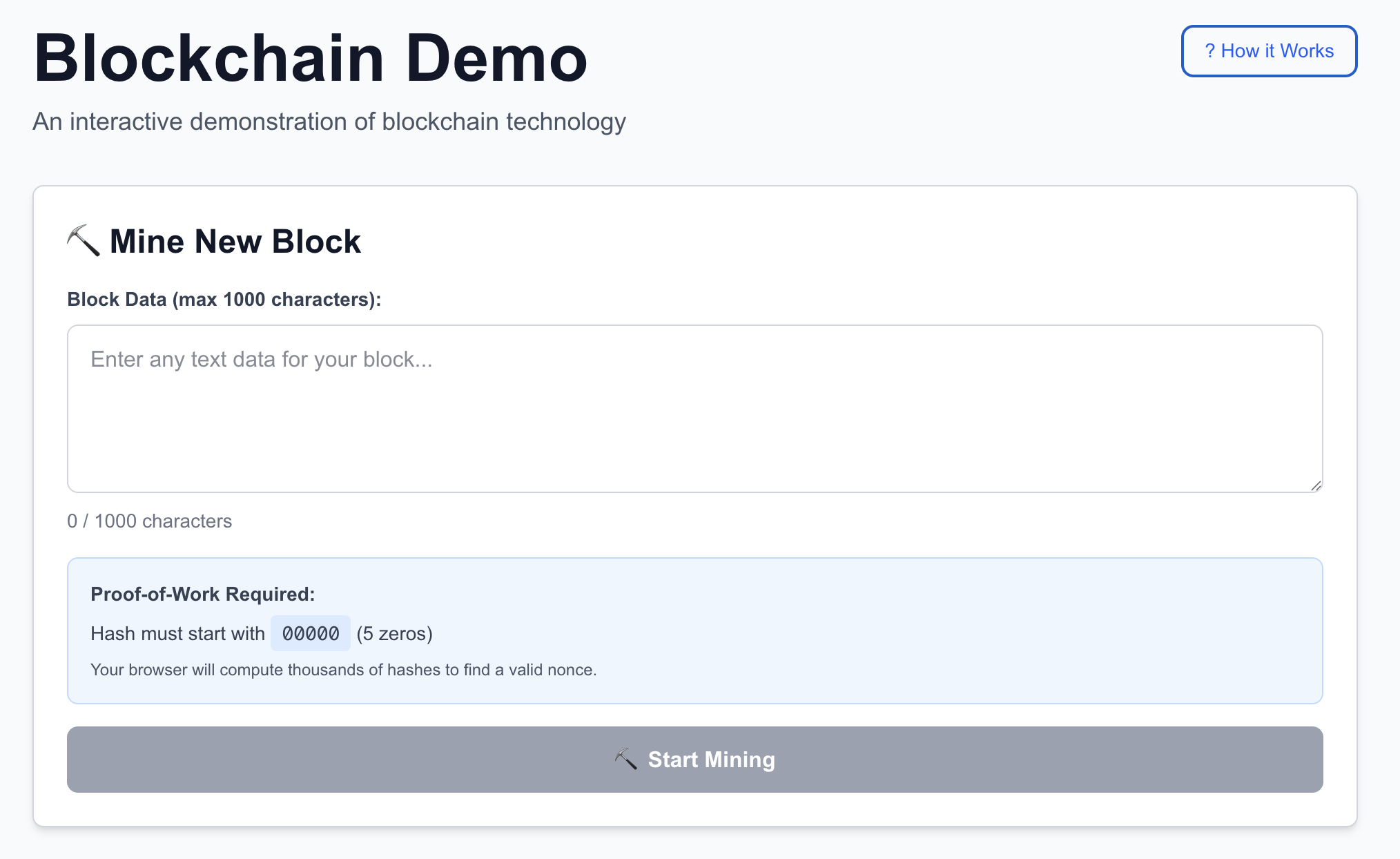 The main interface: mine blocks with custom data
The Problem: Understanding Blockchain Is Hard
Most blockchain explanations either:
- Show oversimplified diagrams that hide the complexity
- Dive into dense technical papers that overwhelm beginners
- Present finished blockchains without showing the mechanics
I wanted something in between: a hands-on demo where you can see the actual hashing, witness the mining process, and verify everything yourself.
Key Features
1. Real Proof-of-Work Mining
When you click “Start Mining,” your browser starts computing SHA-256 hashes until it finds one that starts with five zeros (00000...). This typically takes 1-2
seconds and around 1 million attempts.
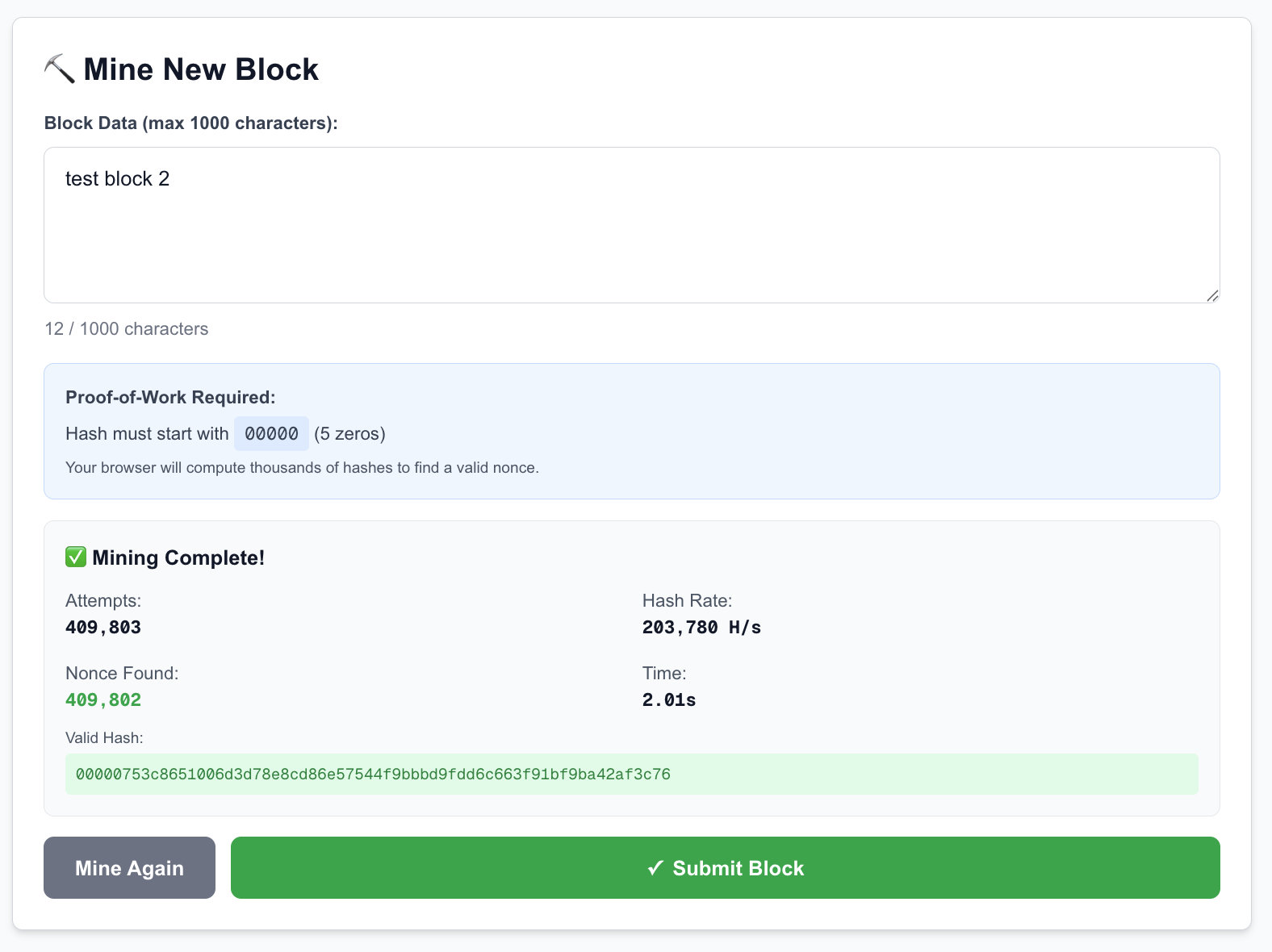 Real-time stats: attempts, hash rate, and current hash being tested
The mining happens in a Web Worker, so your UI stays responsive. You can watch the hash rate climb to 500,000+ hashes per second on modern hardware.
2. Blockchain Explorer
Once blocks are mined, you can explore the chain with full pagination support. Each block shows:
- Block index and timestamp
- Your custom data
- The computed hash (with proof-of-work)
- The nonce that was discovered
- Links to the previous block
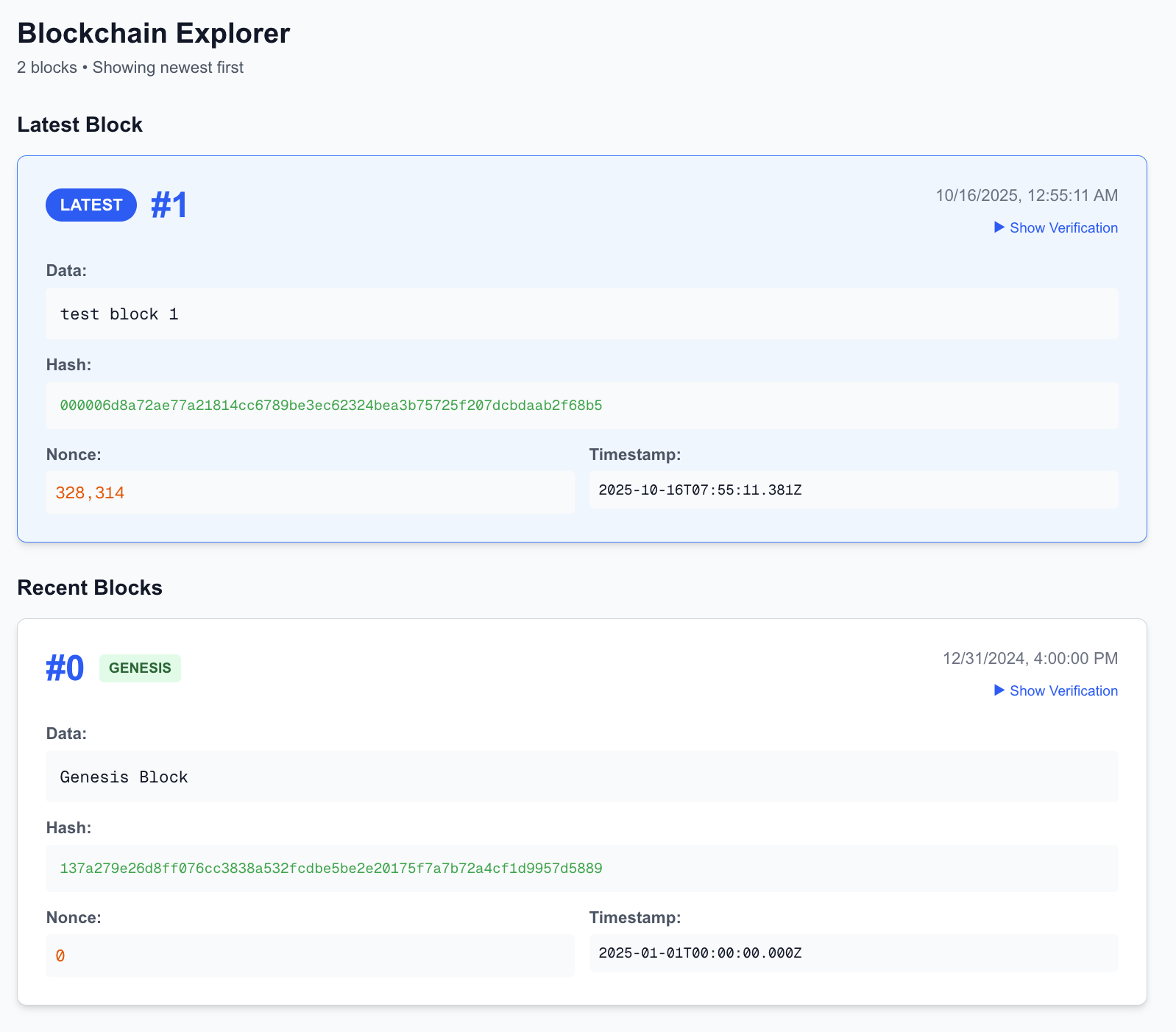 Genesis block and the first mined block forming a chain
The latest block is prominently displayed at the top, making it easy to see your newly mined block appear.
3. Interactive Education
Click “? How it Works” to see a detailed breakdown of:
- Block structure (index, timestamp, data, prevHash, nonce, hash)
- Hash computation formula
- The proof-of-work process
- Why chains are immutable
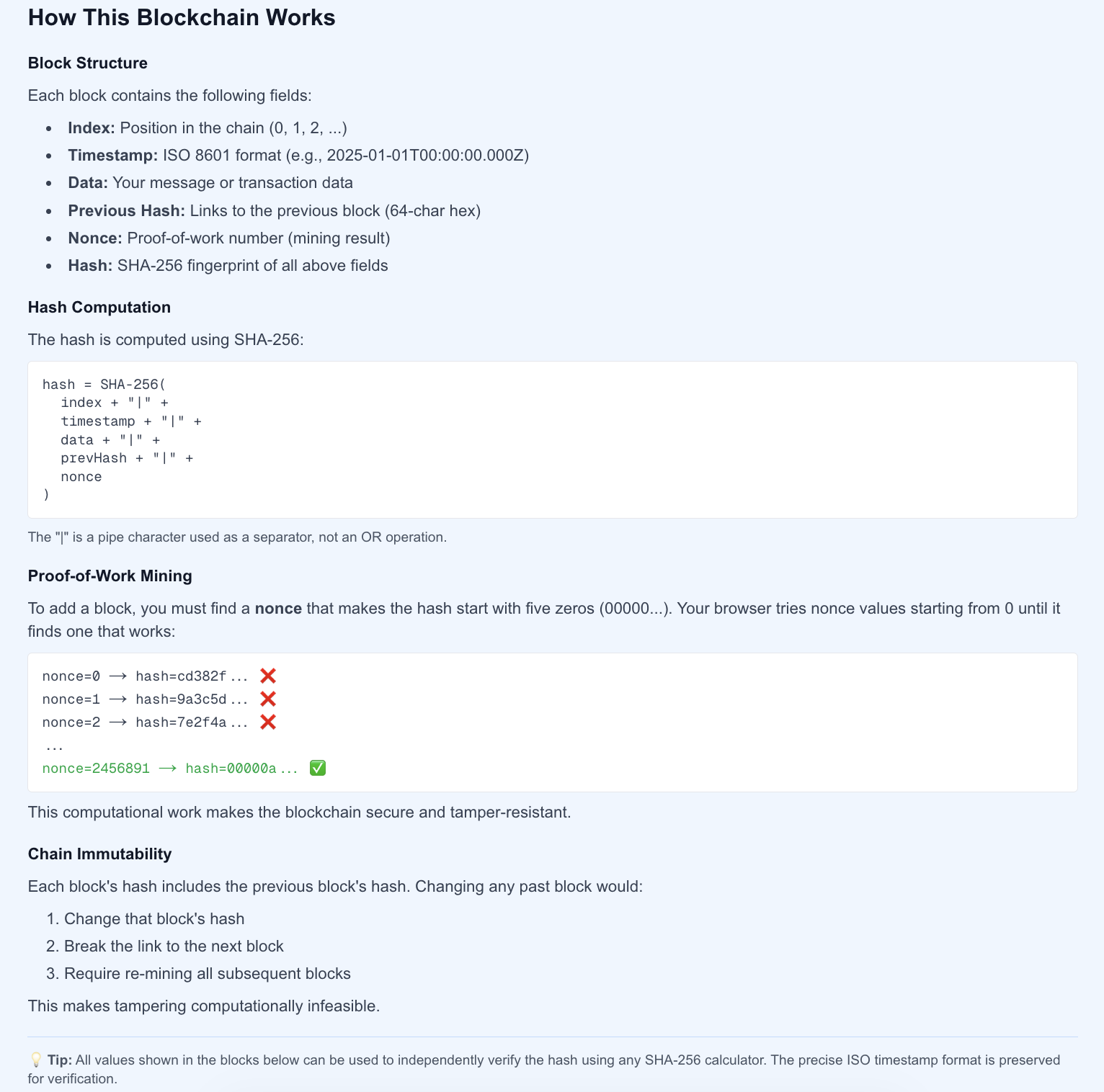 Expandable explainer with technical details
4. Hash Verification
Every block includes a “Show Verification” button that reveals:
- The exact input string used for hashing
- A copy button to paste into external SHA-256 calculators
- The expected output hash
- Links to online hash verification tools
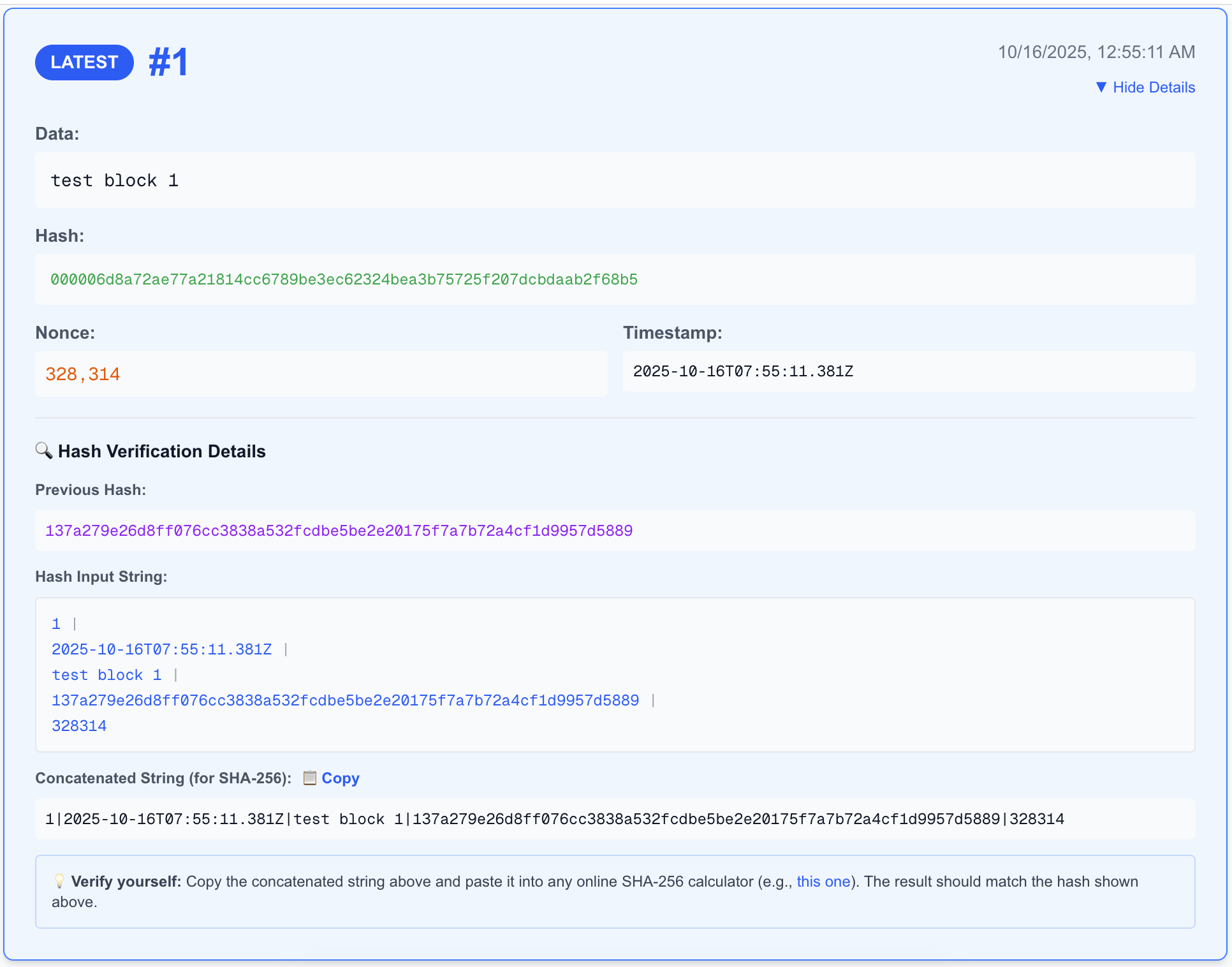 See exactly how the hash was computed—no magic, just math
This transparency lets you independently verify every block’s validity using any SHA-256 calculator online.
Technical Deep Dive
Mining Flow
User enters data
↓
Web Worker starts mining
↓
Try nonce = 0, 1, 2, 3...
↓
Compute: SHA-256(index|timestamp|data|prevHash|nonce)
↓
Hash starts with 00000?
↓ Yes
Submit {data, nonce, timestamp} to server
↓
Server validates proof-of-work
↓
Block added to chain
Why Web Workers?
Mining is CPU-intensive. Without Web Workers, the browser would freeze while computing millions of hashes. By offloading to a background thread:
- UI remains responsive
- You can see real-time mining stats
- Users can stop mining mid-process
Hash Formula
Each block’s hash is computed as:
hash = SHA-256(
  index     + "|" +
  timestamp + "|" +
  data      + "|" +
  prevHash  + "|" +
  nonce
)
For example, Block #1 might be:
SHA-256("1|2025-10-16T03:45:12.000Z|Hello World|8e93031...|164451")
→ 00000a3f... ✅
The | pipe character is just a separator. Change any single character and you get a completely different hash—that’s the security.
Difficulty: 5 Leading Zeros
The difficulty is configurable in lib/crypto.ts:
export const DIFFICULTY = 5; // Number of leading zeros
Here’s how difficulty scales:
| Leading Zeros | Expected Attempts | Average Time |
|---|---|---|
| 3 zeros | ~4,000 | 0.008s |
| 4 zeros | ~65,000 | 0.13s |
| 5 zeros | ~1,000,000 | 1-2s |
| 6 zeros | ~16,000,000 | 30s |
| 19 zeros | (Bitcoin) | 10 min with ASICs |
Five zeros is the sweet spot: hard enough to demonstrate proof-of-work, fast enough to keep users engaged.
What I Learned
1. Browser Crypto Is Fast
Modern browsers implement the Web Crypto API with native code, achieving 500K-1M hashes/second on average hardware. That’s impressive for JavaScript!
2. Cache-Busting Is Critical
Initially, I hit a bug where the Web Worker wasn’t updating after I changed the difficulty. Browsers aggressively cache worker files. Solution: append a timestamp query parameter:
new Worker(`/workers/miner.js?v=${Date.now()}`);
This forces a fresh download on each mining session with negligible performance impact (~2KB file).
3. In-Memory Storage = Zero Moderation
By using ephemeral storage (blockchain resets on deployment), I avoided the content moderation nightmare of persistent user-generated content. Users can still mine and explore, but offensive content doesn’t stick around.
4. Timestamps Are Tricky
The miner generates a timestamp when mining starts, but the server validates milliseconds later. Early on, blocks failed validation because:
- Client: mines with timestamp T
- Server: receives at T + 2000ms, recomputes hash with different timestamp
- Hash mismatch! ❌
Fix: The client sends the timestamp used during mining to the server, ensuring consistent hashing.
Tech Stack
- Next.js 15 - React framework with App Router
- TypeScript - Type safety throughout
- Tailwind CSS - Styling and dark mode
- Web Workers - Background mining threads
- Web Crypto API - Native SHA-256 implementation
- Vercel - Deployment (no database needed!)
Challenges & Solutions
Challenge 1: Turbopack Build Failure
My initial Vercel deployment returned 404s. The culprit:
"build": "next build --turbopack"
Turbopack isn’t supported in production builds yet. Solution: Remove the flag.
Challenge 2: Empty Git Repo Deployment
I deployed via CLI before committing any code. Vercel deployed an empty repo! Solution: Always commit first, then deploy.
Challenge 3: Making It Scalable
The original UI showed all blocks in a single list. That’s fine for 10 blocks, but what about 10,000?
Solution: Implement pagination with API support:
- GET /api/chain?limit=10&offset=20&reverse=true
- Latest block prominently at top
- Older blocks paginated (10 per page)
Future Enhancements
Ideas I’m considering:
- Statistics Dashboard - Total blocks, average mining time, chain height
- Block Search - Find blocks by index, hash, or data content
- Difficulty Adjustment - Visualize how Bitcoin adjusts difficulty every 2016 blocks
- Fork Demonstration - Show what happens when two miners create blocks simultaneously
- Merkle Tree Visualization - Demonstrate how real blockchains handle thousands of transactions
What This Teaches (and Doesn’t)
✅ What You Learn
- How proof-of-work mining actually works
- Why changing historical data breaks the chain
- How cryptographic hashing provides security
- The computational cost of blockchain
❌ What’s Simplified
This is educational, not production-ready:
- No network - Single server, not distributed
- No incentives - No mining rewards or transaction fees
- No consensus - No peer-to-peer disagreement resolution
- No transactions - Just data storage, not cryptocurrency
- Fixed difficulty - Real blockchains adjust based on network hash rate
Think of it as a microscope for blockchain fundamentals, not a telescope for production systems.
Conclusion
Building this project gave me a deeper appreciation for how much work goes into making blockchain “work.” Every block requires real computational effort. Every hash must be verified. Every link in the chain matters.
If you’re learning about blockchain, I encourage you to:
- Try the demo - Mine a few blocks yourself
- Fork the repo - Experiment with difficulty, add features
- Read the code - It’s well-commented and straightforward
- Verify the hashes - Copy a hash input string and check it externally
The proof-of-work mechanism is straightforward once you see it in action: hash repeatedly until you find a valid nonce, then chain blocks together cryptographically.