aide
The METR study found developers believe AI makes them 20% faster. Measured: 19% slower. I wanted data on my own usage, so I built a dashboard.
Source: github.com/brianhliou/aide
What Is This
aide ingests Claude Code’s session logs (JSONL) into SQLite and shows long-term trends across all your projects: cost, token usage, session patterns, efficiency metrics. The “Fitbit for AI coding.”
Zero LLM calls. Zero cost to run. All data stays local.
~/.claude/projects/**/*.jsonl → parser → SQLite → dashboard
The Problem
Claude Code generates detailed session logs for every interaction: messages, tool calls, token counts, timestamps. These logs are JSONL files buried in ~/.claude/projects/. Nobody looks at them.
Everyone has opinions about whether AI coding tools are worth it. Nobody has data. Am I getting more efficient over time? Which projects eat the most tokens? Do longer prompts produce better results?
Nothing shows personal trends across all your sessions, the view that tells you if you’re improving.
How It Works
Data Pipeline
- Discovery - finds all
*.jsonlfiles under~/.claude/projects/ - Parsing - extracts messages, token usage, tool calls, session metadata
- Work Blocks - splits each session into continuous coding periods at 30-minute idle gaps
- Ingestion - upserts into SQLite with incremental ingest (tracks file mtime, only re-processes changed files)
Cost Estimation
All costs estimated at current API rates. For subscription users (Pro/Max), a toggle shows token-based metrics instead of dollar amounts.
Key Features
Overview Dashboard
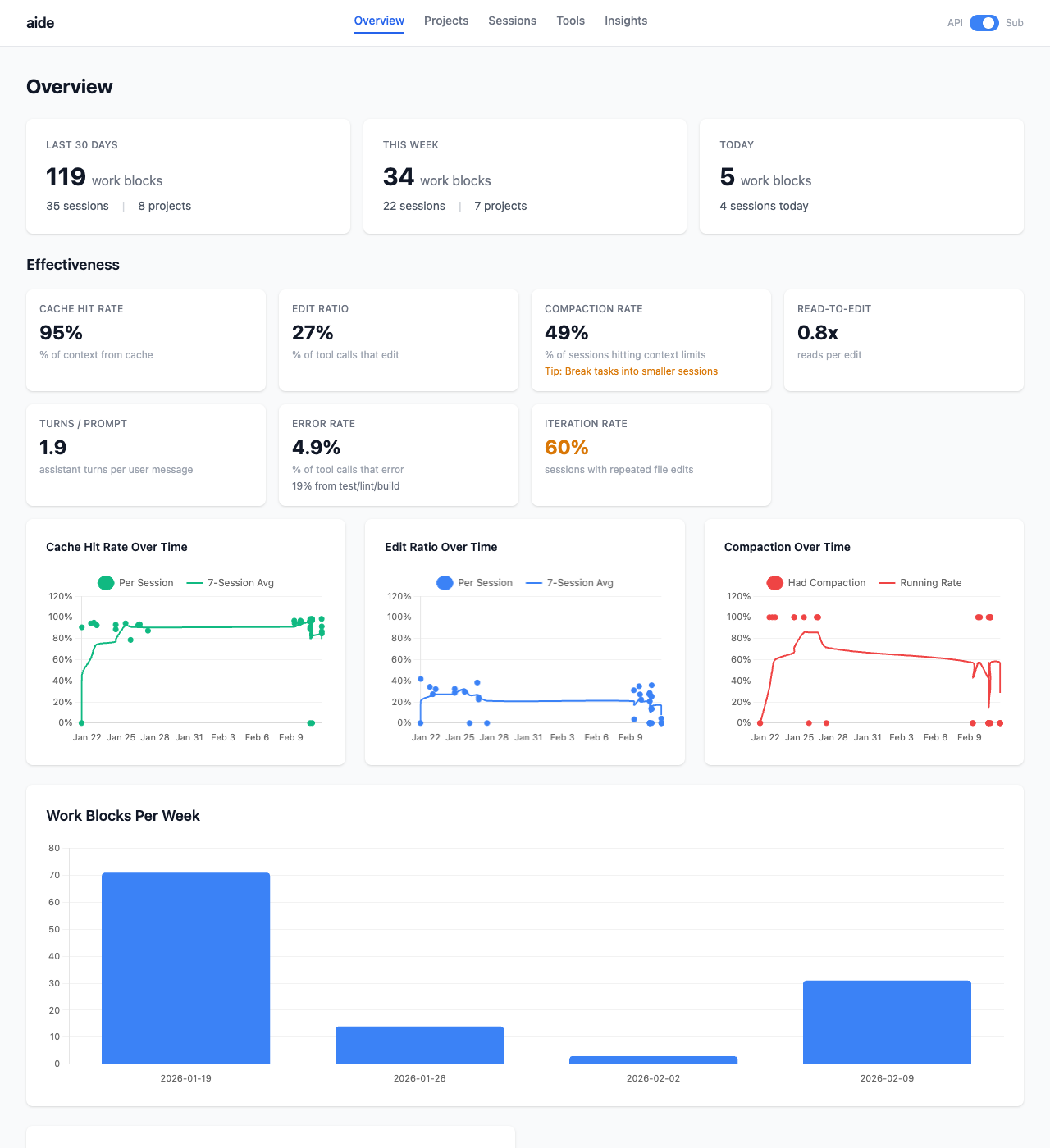
Summary cards, effectiveness metrics (cache hit rate, edit ratio, compaction rate, error rate), trend charts, work blocks per week.
Session Detail
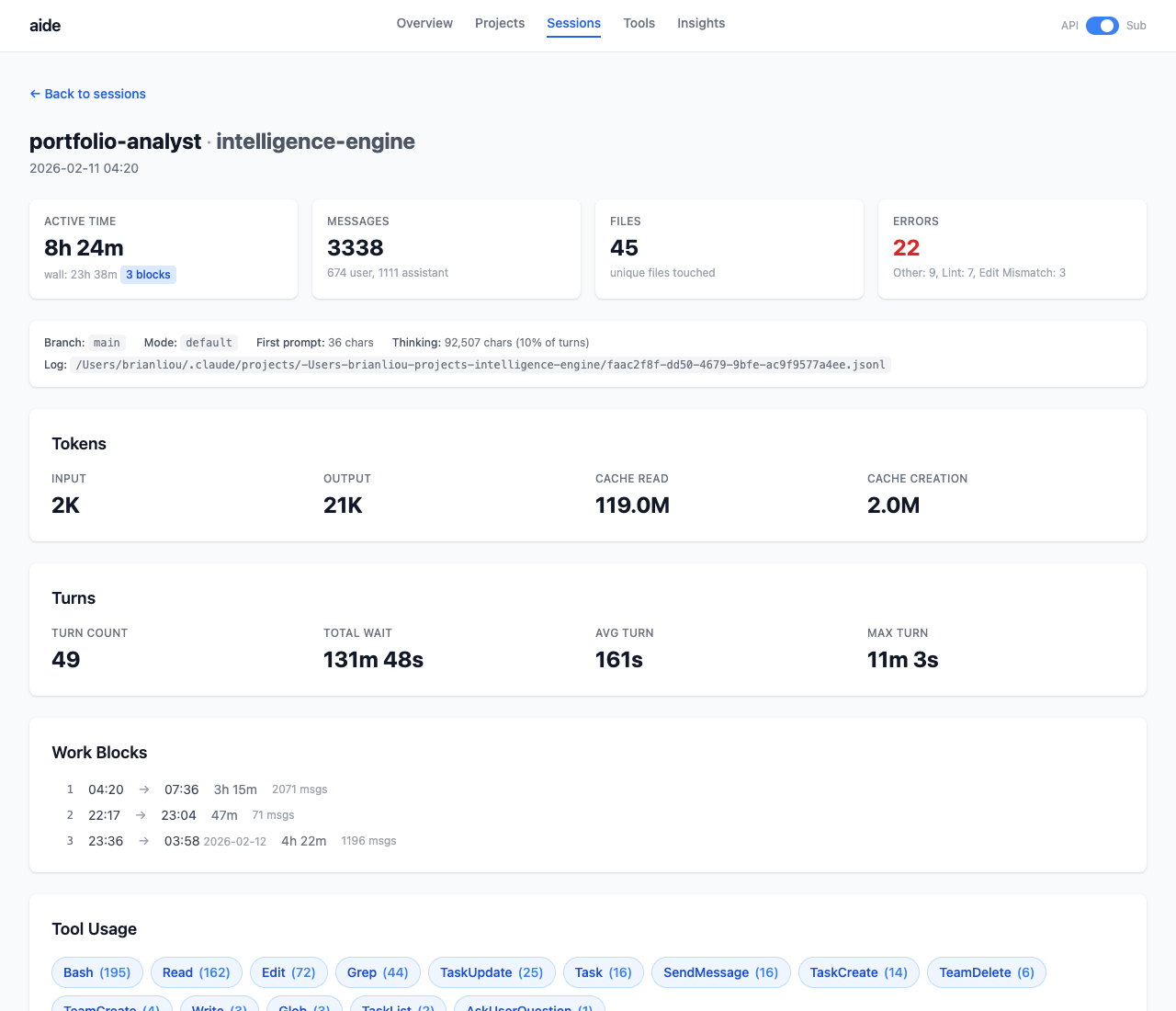
Drill into any session: token breakdown, tool usage, files touched with read/edit/write counts, work block timeline, error categorization.
Insights
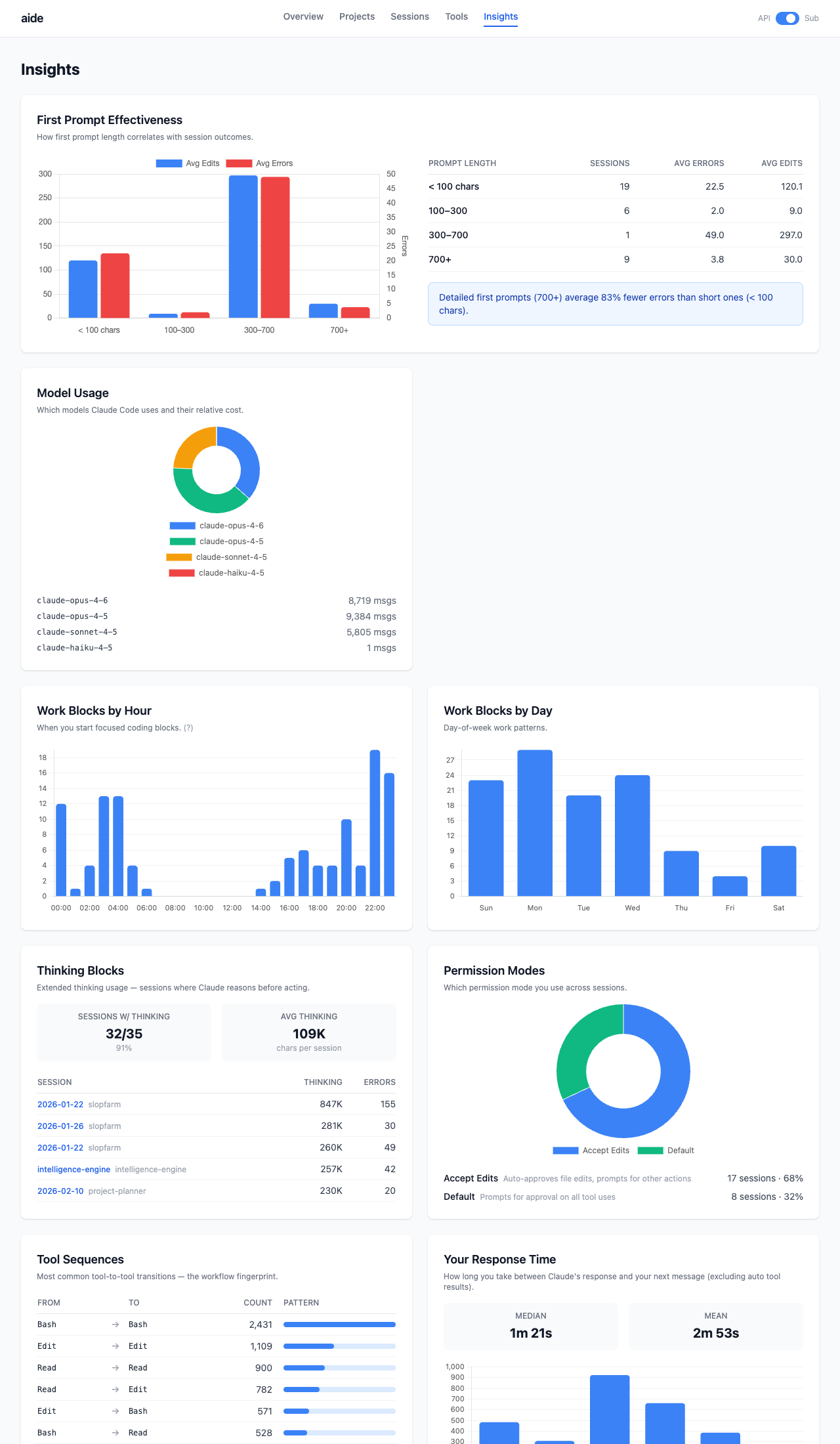
First-prompt effectiveness, cost concentration, time patterns (when you code), model usage, tool sequences, thinking block analysis.
More
- Session Autopsy -
aide autopsy <session-id>generates a per-session diagnostic report: cost breakdown, context window analysis, compaction detection, CLAUDE.md improvement suggestions. - Subscription Mode - toggle between API cost view and token-based metrics for Pro/Max subscribers.
- CLI Stats -
aide statsprints a quick summary to the terminal without opening the browser.
Technical Details
Work Blocks
A JSONL “session” is just one terminal window staying open. A session spanning Mon-Wed with sleep in between reads as a 48-hour session, making “duration” useless.
The gap distribution between messages is bimodal: most gaps are under 5 minutes (active work), a small cluster is over 30 minutes (away). A 30-minute threshold cleanly separates the two modes.
Each session splits into work blocks, continuous coding periods. “119 work blocks across 35 sessions” tells you more than “35 sessions.”
Error Categorization
Tool errors are categorized automatically: Test (pytest, jest), Lint (ruff, eslint), Build (pip, npm), Git, Edit Mismatch, File Access. Most “errors” are normal iteration (test failures during edit-test-fix cycles). The dashboard separates iteration from actual mistakes.
Effectiveness Metrics
- Cache Hit Rate - % of input context served from cache (higher = better reuse)
- Edit Ratio - % of tool calls that are file edits (higher = more productive)
- Compaction Rate - % of sessions hitting context limits
- Read-to-Edit Ratio - reads per edit (lower = less searching)
- Iteration Rate - sessions with files edited 3+ times
What I Learned
Claude Code logs are a gold mine. Every tool call, every token count, every timestamp is there. The hard part was deciding which metrics actually matter.
Work blocks changed everything. Raw session duration was misleading for every chart. Splitting at idle gaps made the data honest. Data cleaning matters more than fancy visualizations.
Zero LLM calls was the right constraint. Every metric is heuristic. No API calls, no marginal cost. Re-ingest and rebuild as many times as you want.
Tech Stack
- Python 3.12+ with Click CLI
- Flask + Jinja2 templates
- Chart.js (CDN) for interactive charts
- Tailwind CSS (CDN) for styling
- SQLite (stdlib) for storage
- uv for package management
Try It Out
pip install aide-dashboard
aide ingest          # Parse your Claude Code logs
aide serve           # Open dashboard at localhost:8787
Requires Claude Code session logs at ~/.claude/projects/. If you use Claude Code, you already have them.